Knockbox
One curl, your phone buzzes.
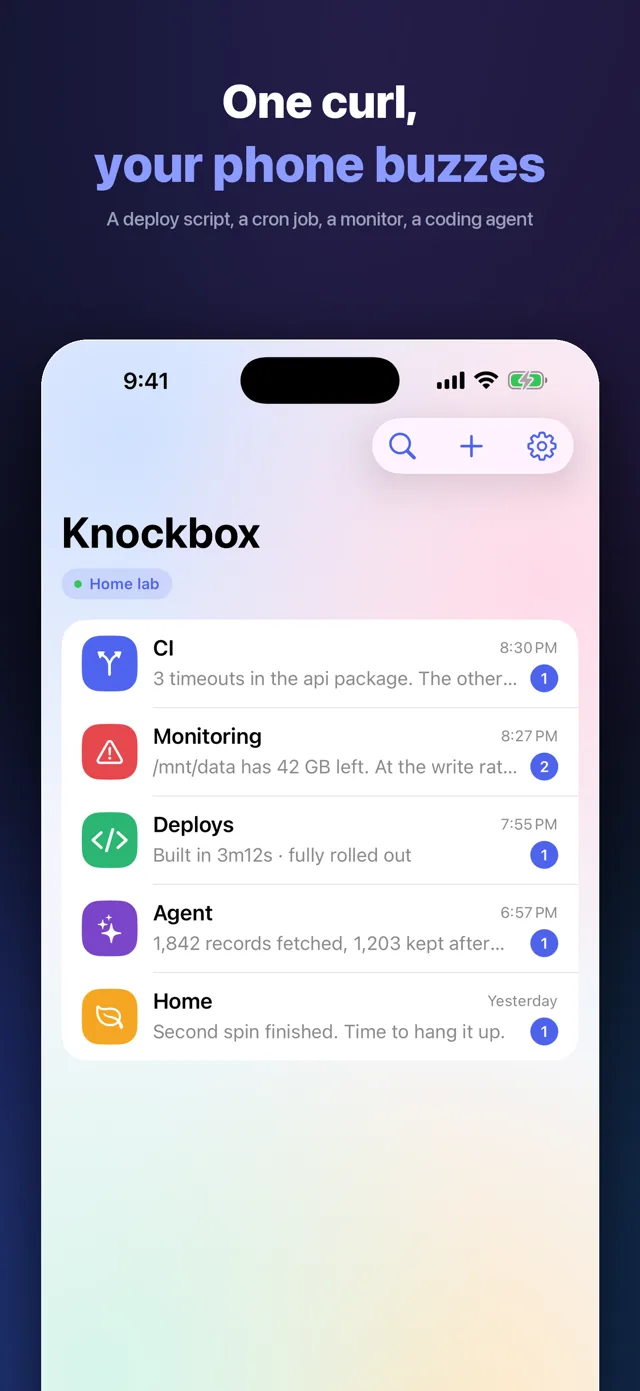
Knockbox is an iPhone and iPad app that turns a single HTTP request into a push notification on your phone. Anything that can send a request can reach you: a deploy script, a cron job, a monitoring check, a CI pipeline, or a coding agent that has just finished a long task. It is the client for a server you control, and that server is open source.
Screenshots
What it does
- Devices
- iPhone · iPad
- Platform
- iOS 17 or later
- Category
- Developer Tools
- Price
- Free
- Languages
- English · 简体中文 · 繁體中文 · 日本語 · 한국어 · Español · Português
Knockbox is for the things that need to tell you they are done: a deploy that finished, a cron job that failed, a disk filling up, a broken build, an agent that just completed a long task. What they have in common is one HTTP request — not a platform to sign up for. The server is open source and runs on a VPS, a NAS or a Raspberry Pi at home. It holds its own Apple push key, so a notification goes from your machine to Apple and then to your phone, without passing through anyone in between. If you would rather not run anything, the public instance we operate at knockbox.miramiao.com is one tap away on the app's first screen.
- One request is enough.
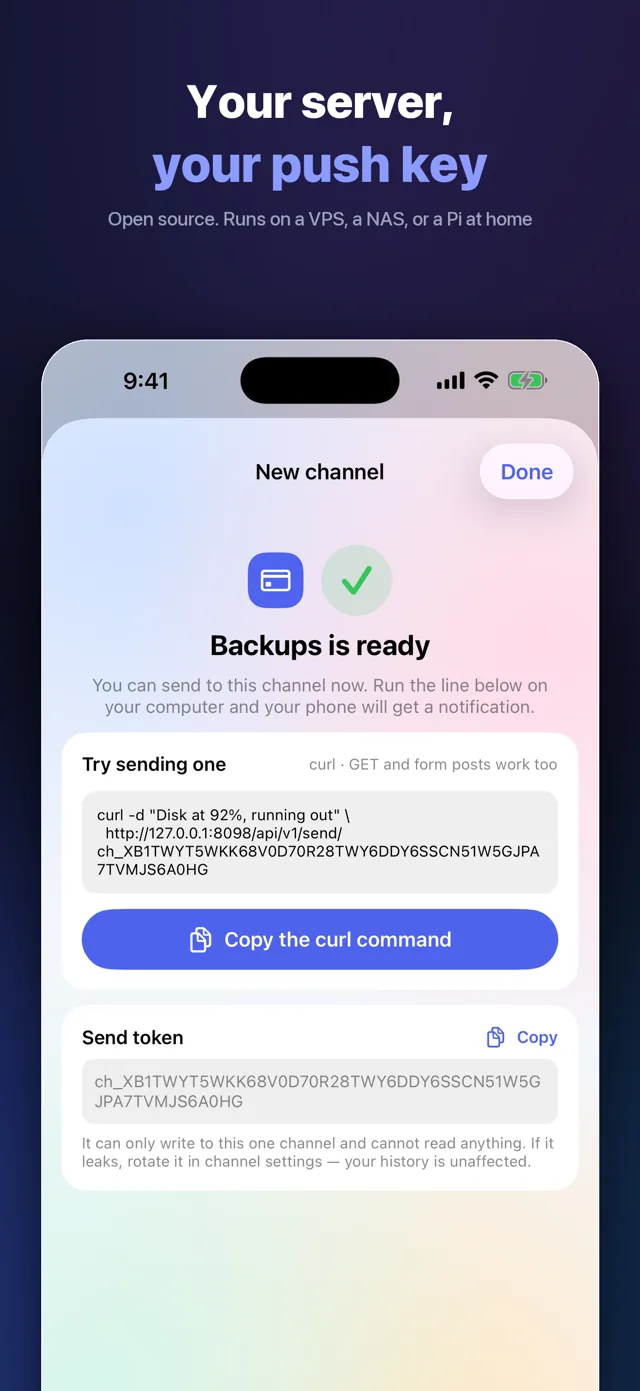
curl -d "Build finished" https://your-server/api/v1/send/TOKEN— anything that speaks HTTP can reach your phone, GET and form posts included. - Messages can be answered. The sender attaches a set of options, or allows a free-text answer, and you reply from inside the message. Your own server posts the reply back to the sender, which takes it from there — a home automation waiting on "open the curtains in 30 seconds", or an agent that needs a yes before it continues.
- The server is yours. Open source, running on a VPS, a NAS or a Raspberry Pi at home. It holds its own Apple push key, so notifications go from your machine to Apple to your phone, with nobody in between. Or use the public instance we run.
- No length limit on the body. The body is fetched as the notification lands rather than packed into it. Markdown headings, lists, links and syntax-highlighted code all survive.
- Images arrive in the notification. They stay with the message too, instead of sending you off to a web page.
- A channel per thing. One token per channel, so a noisy monitor and a personal reminder stay apart. A leaked token is rotated in channel settings; the history is untouched.
- Muting happens on the server. The mute lives on the server, so nothing is sent at all — it is not delivered and then suppressed.
- You set the interruption level. Quiet, normal, or time sensitive when it has to break through Focus.
- Another device is one scan away. Pair a second iPhone or iPad from a device that is already connected. Both receive everything and share read state.
Pricing
Free$0
Free. No ads, no analytics, no account with us, no in-app purchase and no subscription. The server is open source and you run it.
Questions
Didn't find your answer?
Questions, bug reports and feature requests are welcome by email. Replies usually come within a few days.
info@miramiao.com → Support →Do I have to run my own server?
Not required, but it is what the app is built around: the server is open source and runs on a VPS, a NAS or a Raspberry Pi — one docker command gets it going, and the first screen links to the setup guide. If you would rather not, use the public instance we operate at knockbox.miramiao.com; it is one tap away on that same first screen, with no sign-up and no password.
Where is the server code?
github.com/aichy126/knockbox, MIT. There are prebuilt binaries and a Docker image — one docker run gets you going, and the first start creates an admin account and prints its password.
Who holds the push key?
You do, when you self-host. The server has its own Apple push key, so a notification goes from your machine to Apple and then to your phone.
Is it free?
The app is free — no in-app purchases, no subscription, no ads. The server is open source.
How long can a message be?
There is no length limit to work around. The body is fetched as the notification lands rather than packed into it, so long text and code come through.
How does a reply get back to the sender?
The sender includes a callback address when it sends the message. Once you answer, your server posts the reply to that address, signed with the channel token. The sender can set a deadline; after it passes the message reads "Reply window closed" and the server stops accepting, so you are never left thinking an answer went through. Replying happens inside the app, not on the notification.
How many devices can I use?
Pair a second iPhone or iPad by scanning from a device that is already connected. Both receive everything and share read state.
Are deletions real?
Yes. Deleting a message or clearing a channel removes it on the device and on the server.
More work
 LitepadA notepad that opens instantly. Good with code, too.
 ShotpinSnap a spot, navigate back.
 SnipmojiAny photo into a sticker. Sent transparent.
 RollshotScroll once, get the whole page.
 PrismSlice photos into rainbows.
 BrainwarmA few minutes of brain practice a day. Only against yourself.
 BoxfoldCut the whole sheet into boxes.
 FliptenSwap and they flip. Make 10 and they clear.
WeChat can’t open the App Store
Tap the three dots in the top right, then “Open in Browser”.