
Shotpin
Snap a spot, navigate back.
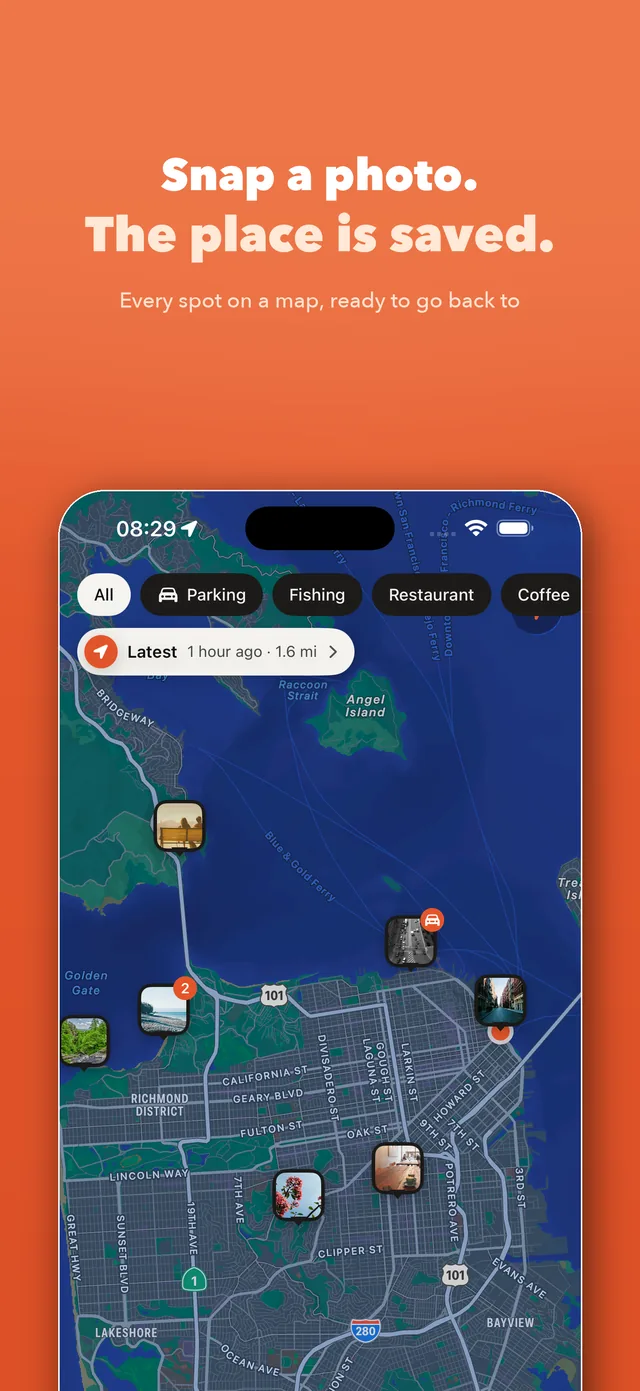
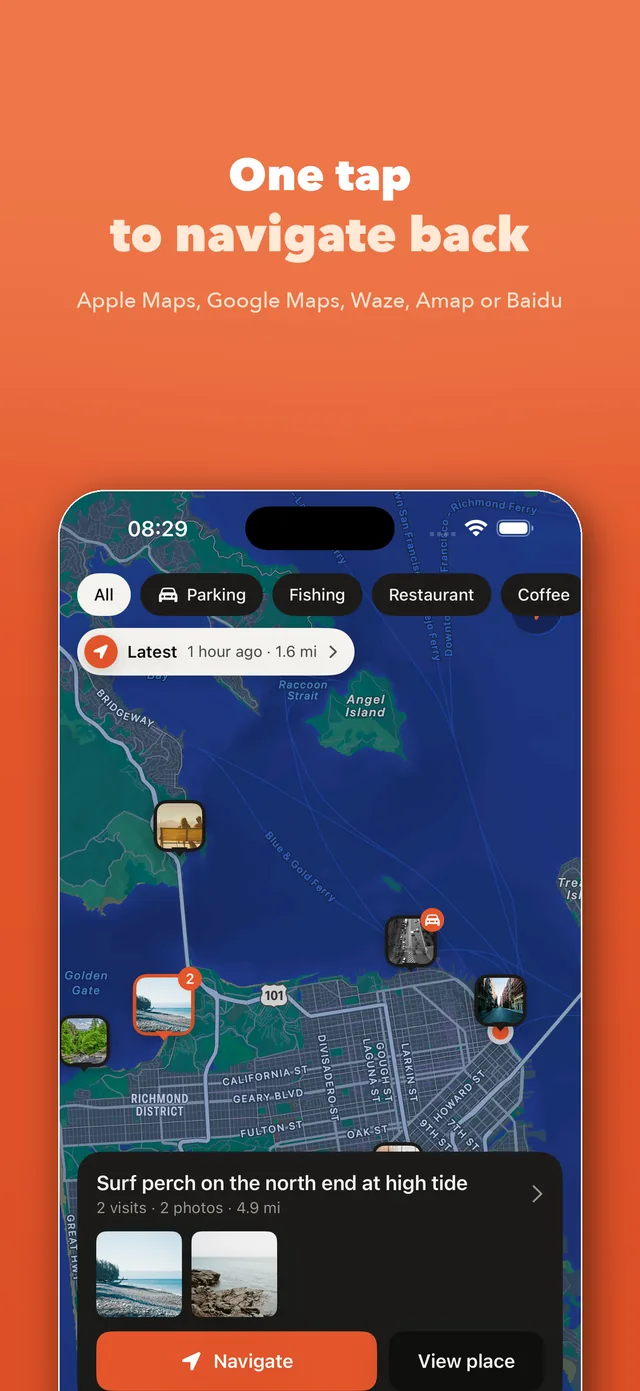
Shotpin is an iPhone app that saves a place the moment you take a photo. Later, one tap opens directions back in the maps app you already use.
Screenshots
What it does
- Devices
- iPhone
- Platform
- iOS 17 or later
- Category
- Navigation
- Price
- Free · Pro $4.99, one-time
- Languages
- English · 简体中文 · 繁體中文 · 日本語 · 한국어
Shotpin is for the places you want to find again but never want to fill in: where you parked, the fishing spot that worked, a restaurant worth a second visit, a quiet café, a viewpoint at the right hour. One tap on the shutter records the photo and the exact location. No forms, no typing. Sort it later, or never.
- Snap = saved. The app opens straight into the camera. Press the shutter (or the volume button) and the photo and exact location are stored. No forms.
- Snap without opening the app. Put the widget on the Home or Lock Screen, or add Shotpin to Control Center, the Lock Screen or the Action button — one press opens the camera.
- Navigate back in one tap with Apple Maps, Google Maps, Waze, Amap or Baidu Maps. Shotpin remembers your choice.
- Find your car. Snap the parking spot; the Latest pill takes you straight back. Tag it Parking for a timer and a walk-back button.
- Your camera roll stays clean. Spot photos live inside Shotpin, not in Photos, unless you say otherwise.
- Places, not piles. Photos taken at the same location stack into one place with a count of how many times you have been there.
- Name a place, or save one before you get there. Call it Civic Sports Center instead of the street address: every photo there picks up the name, and search finds it. You can also save a spot from the map or an address first — the photo you take there later joins it on its own.
- Write a note. “Level 3, pillar 7, exit by the pharmacy”, “the table by the window”, “closed on Tuesdays”. The note stays with that photo, and search finds it.
- Search finds it. Search place names, notes, addresses and cities, instead of hunting across the map.
- One mountain, not three places. The car park, the halfway stop and the summit are three places by distance. Select them and merge them into one, choosing which pin the map and Navigate should use.
- Made for one hand. Camera is the home screen; swipe for map and library. Full-screen viewer: tap to hide everything, swipe down to close.
- Import photos you already have. Shotpin reads the location from the photo itself.
- Your data, your rules. No accounts, no analytics, no ads. Optional sync to iCloud Drive or your own storage (WebDAV, S3-compatible, or any folder in the Files app).
Pricing
Free
Up to 50 spots and 5 tags. Map, navigation, parking, full-screen viewer and sharing included.
Pro$4.99one-time
Unlimited spots and tags, sync to iCloud or your own storage, import from Photos, save every shot to Photos, and app lock. Family Sharing supported.
Questions
Didn't find your answer?
Questions, bug reports and feature requests are welcome by email. Replies usually come within a few days.
info@miramiao.com → Support →Does Shotpin need an account or an internet connection?
No. There is no account, no analytics and no ads. Nothing leaves your phone unless you turn on sync to iCloud Drive or your own storage.
Which navigation apps can Shotpin open?
Apple Maps, Google Maps, Waze, Amap (高德地图) and Baidu Maps. Pick one once and Shotpin remembers it.
Do the photos go into my camera roll?
Not by default. Spot photos are stored inside Shotpin so your Photos library stays clean. Pro can also save every shot to Photos.
Is Shotpin Pro a subscription?
No. Pro is a single purchase of $4.99 through Apple, and it supports Family Sharing.
How does finding my car work?
Snap your parking spot when you leave the car. The Latest pill on the map takes you straight back; tag the spot Parking and you also get a timer and a walk-back button.
Can I import photos I already have?
Yes. Shotpin reads the GPS location embedded in the photo and turns it into a spot.
Can I snap a spot without opening the app?
Yes. Put the widget on the Home or Lock Screen, or add Shotpin to Control Center, the Lock Screen or the Action button. One press opens the camera, and the location is still saved with the photo.
More work
 LitepadA notepad that opens instantly. Good with code, too.
 SnipmojiAny photo into a sticker. Sent transparent.
 RollshotScroll once, get the whole page.
 PrismSlice photos into rainbows.
 BrainwarmA few minutes of brain practice a day. Only against yourself.
 KnockboxOne curl, your phone buzzes.
 BoxfoldCut the whole sheet into boxes.
 FliptenSwap and they flip. Make 10 and they clear.
WeChat can’t open the App Store
Tap the three dots in the top right, then “Open in Browser”.