Snipmoji
Any photo into a sticker. Sent transparent.
Snipmoji is an iPhone app that cuts the subject out of a photo or Live Photo, adds a white die-cut border and exports it as a transparent GIF sticker. Live Photos are cut out frame by frame into animated ones; still photos can be animated too, through the border and the effects around them. Finished stickers can also become wallpapers and Home Screen widgets.
Screenshots
What it does
- Devices
- iPhone · iPad
- Platform
- iOS 17 or later
- Category
- Photo & Video
- Price
- Free · Pro $4.99, one-time
- Languages
- English · 简体中文 · 繁體中文 · 日本語 · 한국어
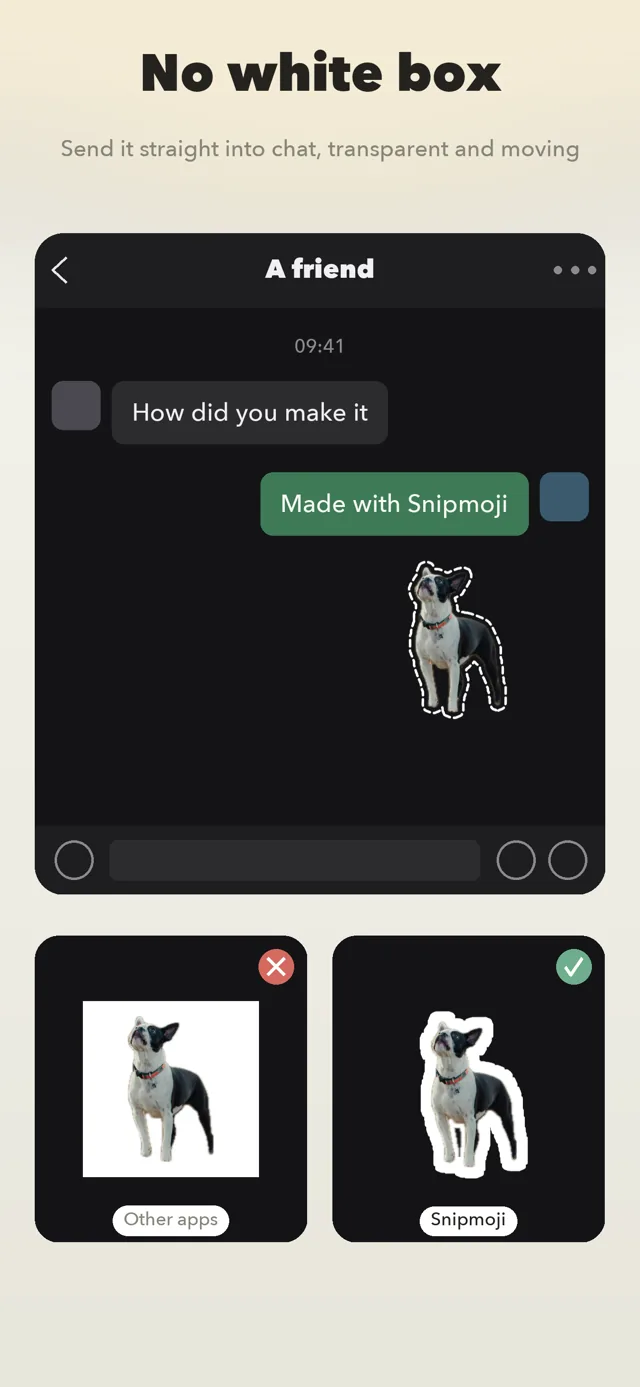
iPhone can already lift a subject out of a photo, but the moment you send that sticker in WeChat it comes with a white background, and Live Photo stickers stop moving. Snipmoji fixes exactly that: it renders the cut-out as a transparent GIF with a proper sticker border, keeps a library of everything you made, and lets you re-adjust the border any time without cutting again.
- One tap cut-out. Vision on your iPhone finds the subject. Nothing is uploaded. Several subjects in one photo can be picked one by one.
- Still transparent in chat. Exported as a GIF, which chat apps treat as a sticker rather than a white-boxed image.
- Live Photos become animated stickers. Every frame is cut out into a looping GIF. Blurry frames can be dropped and the speed adjusted.
- Four borders, and they move. Solid, dashed, chalk and neon, with adjustable colour and thickness. Turn on motion and the dashed border marches, chalk jitters, neon breathes or cycles colour — which is how a still photo becomes an animated sticker.
- Effects scattered around the sticker. Burst lines, sparkles and stars, with adjustable placement and amount. They work on animated stickers too.
- Draw and write on it. Line and pattern brushes, nine faces (two made for each of Chinese, Japanese and Korean), six filters and six adjustments — all non-destructive.
- A library you can sort. Grouped by date, sorted by recently used if you like, filtered by your own tags. iPhone and iPad, with a sidebar and a docked inspector on iPad.
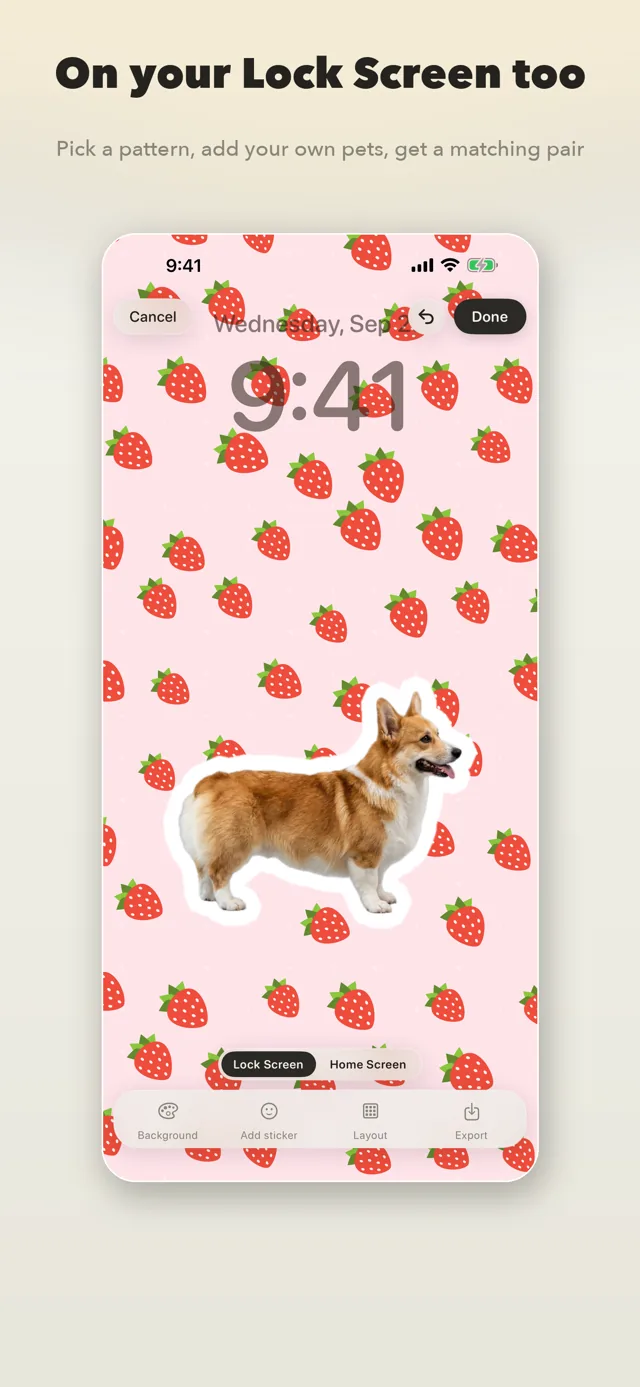
- Make it a wallpaper. Fifteen cute patterns with adjustable colours, density and tiling. Put your own stickers on top and save a Lock Screen and Home Screen pair at your phone's resolution.
- Put it on the Home Screen. A desk pet, a carousel, a day count and a collage — pat it, flip through it, count the days. The background can be a plain colour, a wallpaper pattern or a photo.
- No account, no ads, no analytics. Everything happens on the device, and nothing is watermarked.
Pricing
Free
Cutouts are never charged per use and nothing is counted. Stills and Live Photos alike, a solid border you can adjust, and saving, copying, sharing and sending are never locked. The library holds 20 stickers. Wallpapers with solid colours and two patterns, layouts and saving are free, and so is one widget of each kind.
Pro$4.99one-time
Snipmoji Pro is a one-time purchase ($4.99), not a subscription: dashed, chalk and neon borders and the motion that animates them, three effects — burst lines, sparkles and stars — a glow pen and pattern brushes, the eight faces beyond Rounded, six filters and six adjustments, frame picking and speed, custom tags, an unlimited library, every wallpaper pattern, more than one widget of each kind, and pattern or photo widget backgrounds. Paid effects preview freely — you are only asked when you save, and you can drop them in one tap and save anyway.
Questions
Didn't find your answer?
Questions, bug reports and feature requests are welcome by email. Replies usually come within a few days.
info@miramiao.com → Support →Why do my iPhone stickers get a white background in WeChat?
WeChat flattens PNG images onto white when they are sent as pictures. GIF is the only format it keeps transparent, so Snipmoji exports every sticker as a GIF.
Does Snipmoji upload my photos?
No. Subject detection runs on the iPhone with Apple's Vision framework. The app has no servers and no analytics.
Which apps can I use the stickers in?
Any chat app that accepts GIF or PNG: WeChat, QQ, iMessage, Telegram, WhatsApp, Discord and more. Save to Photos, then pick the GIF from the album inside the chat.
Does it work with Live Photos and videos?
Yes. Up to about three seconds are sampled into frames, each frame is cut out, and the result is an animated transparent GIF.
Is it free?
The download is free. Cutting out, the border, the transparent GIF, and sending, saving, copying and sharing are never charged and nothing is counted; the library holds 20 stickers. Wallpapers with solid colours and two patterns, and one widget of each kind, are free too. Dashed, chalk and neon borders, the motion that animates them, the effects, doodles, text, filters, frame picking, tags, an unlimited library, every wallpaper pattern, more widgets and pattern or photo backgrounds are a one-time $4.99 purchase, not a subscription.
More work
 LitepadA notepad that opens instantly. Good with code, too.
 ShotpinSnap a spot, navigate back.
 RollshotScroll once, get the whole page.
 PrismSlice photos into rainbows.
 BrainwarmA few minutes of brain practice a day. Only against yourself.
 KnockboxOne curl, your phone buzzes.
 BoxfoldCut the whole sheet into boxes.
 FliptenSwap and they flip. Make 10 and they clear.
WeChat can’t open the App Store
Tap the three dots in the top right, then “Open in Browser”.